


All of Patent Bear, inside Claude, ChatGPT, and Gemini.
Connect Patent Bear to the AI you already use. Search, full records, file histories, assignments, court decisions, and Research run from the chat, and every quote comes back cited to the record.

Add an MCP server
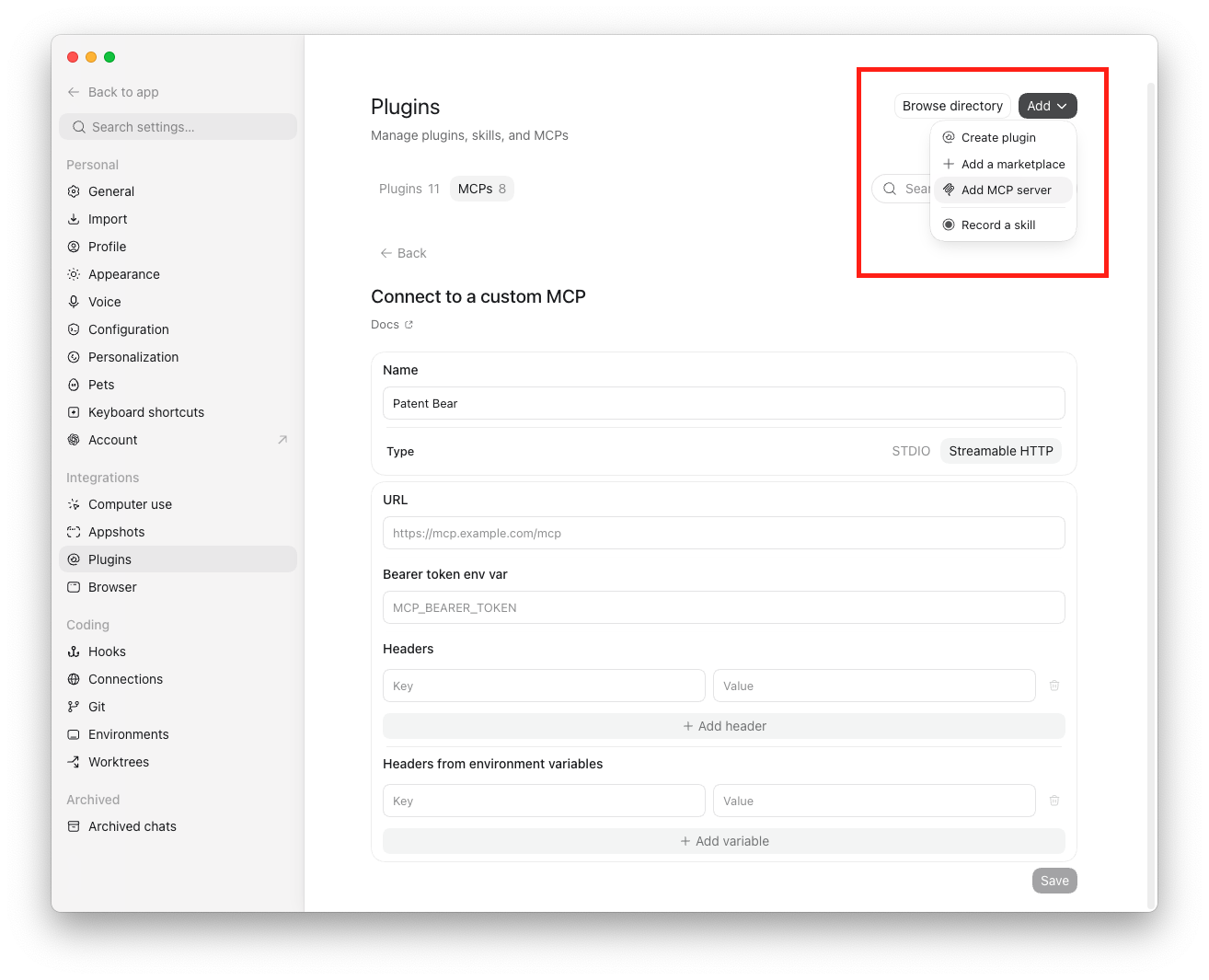
In the ChatGPT desktop app settings, open Plugins and choose Add, then Add MCP server.
Paste the endpoint
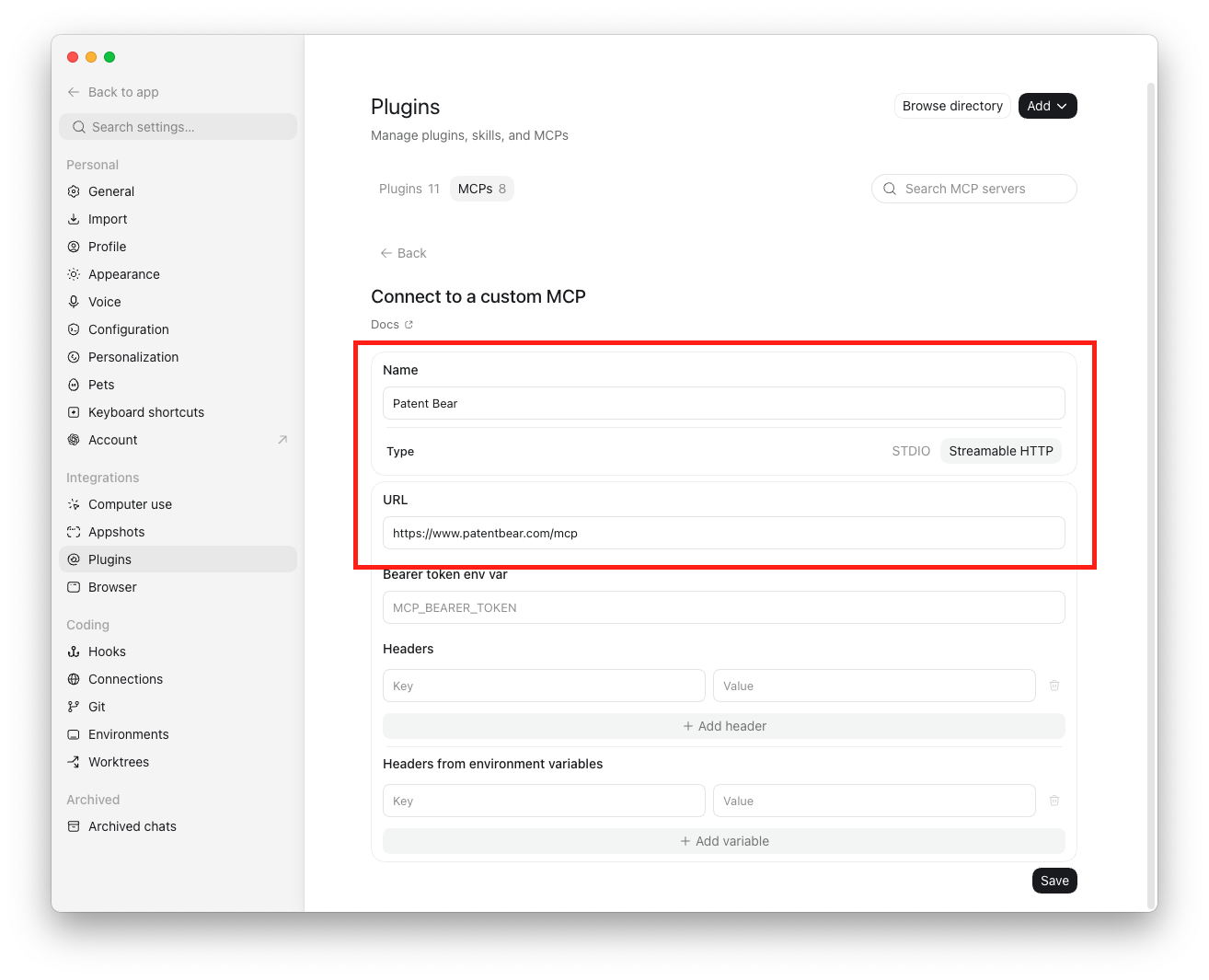
Name it, set Type to Streamable HTTP (not STDIO), paste https://www.patentbear.com/mcp, and save.
Authenticate
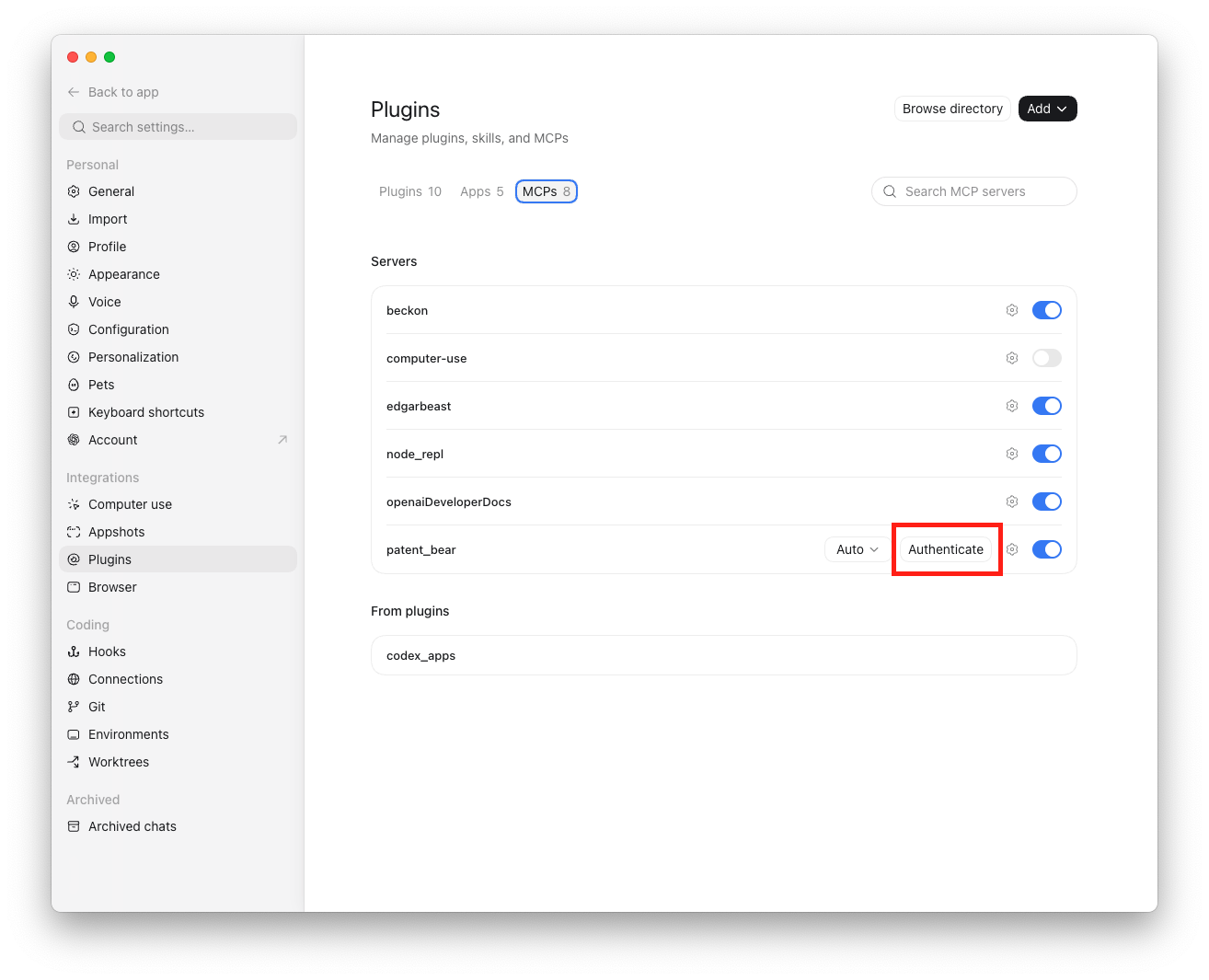
Click Authenticate on the Patent Bear row of the MCP list.
Authorize right away
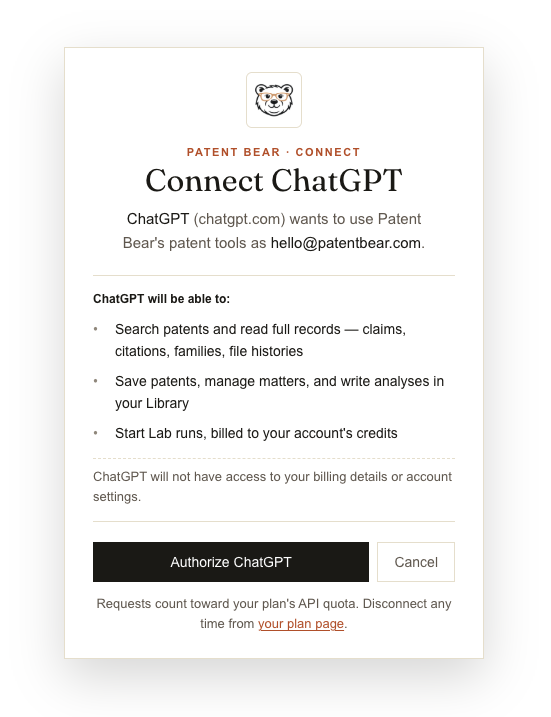
Click Authorize on the Patent Bear screen while the window is fresh; the app only listens for the sign-in for a short time.
Give it a task
Name Patent Bear in a task and it takes it from there. Reconnecting after removing it? Fully quit and reopen the app first.
Connect once, then work from the chat.
Two minutes in Claude, ChatGPT, or Gemini. The first 20 requests each month are free, and paid plans include up to 5,000.