


All of Patent Bear, inside Claude, ChatGPT, and Gemini.
Connect Patent Bear to the AI you already use. Search, full records, file histories, assignments, court decisions, and Research run from the chat, and every quote comes back cited to the record.

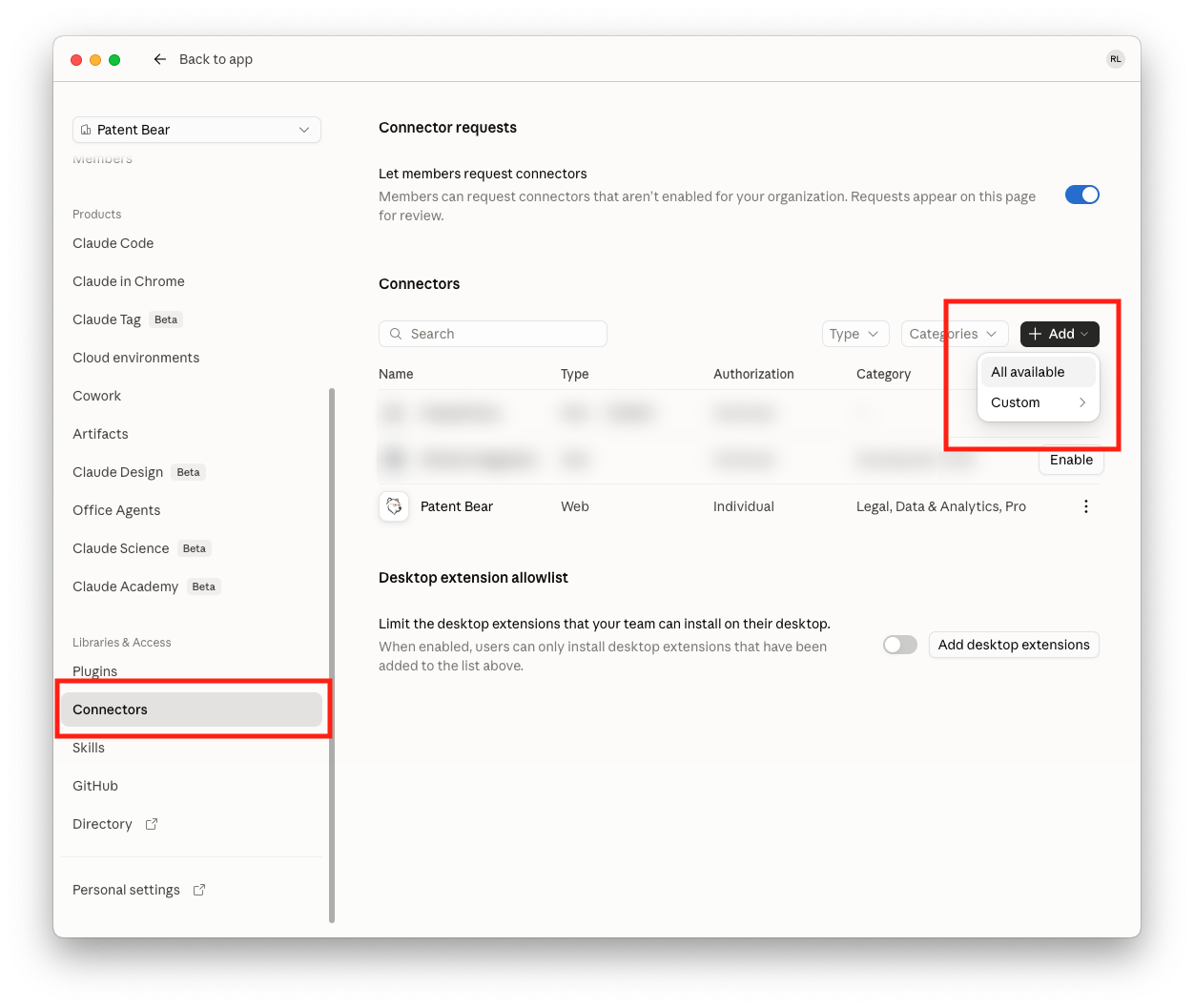
Open Connectors in Claude
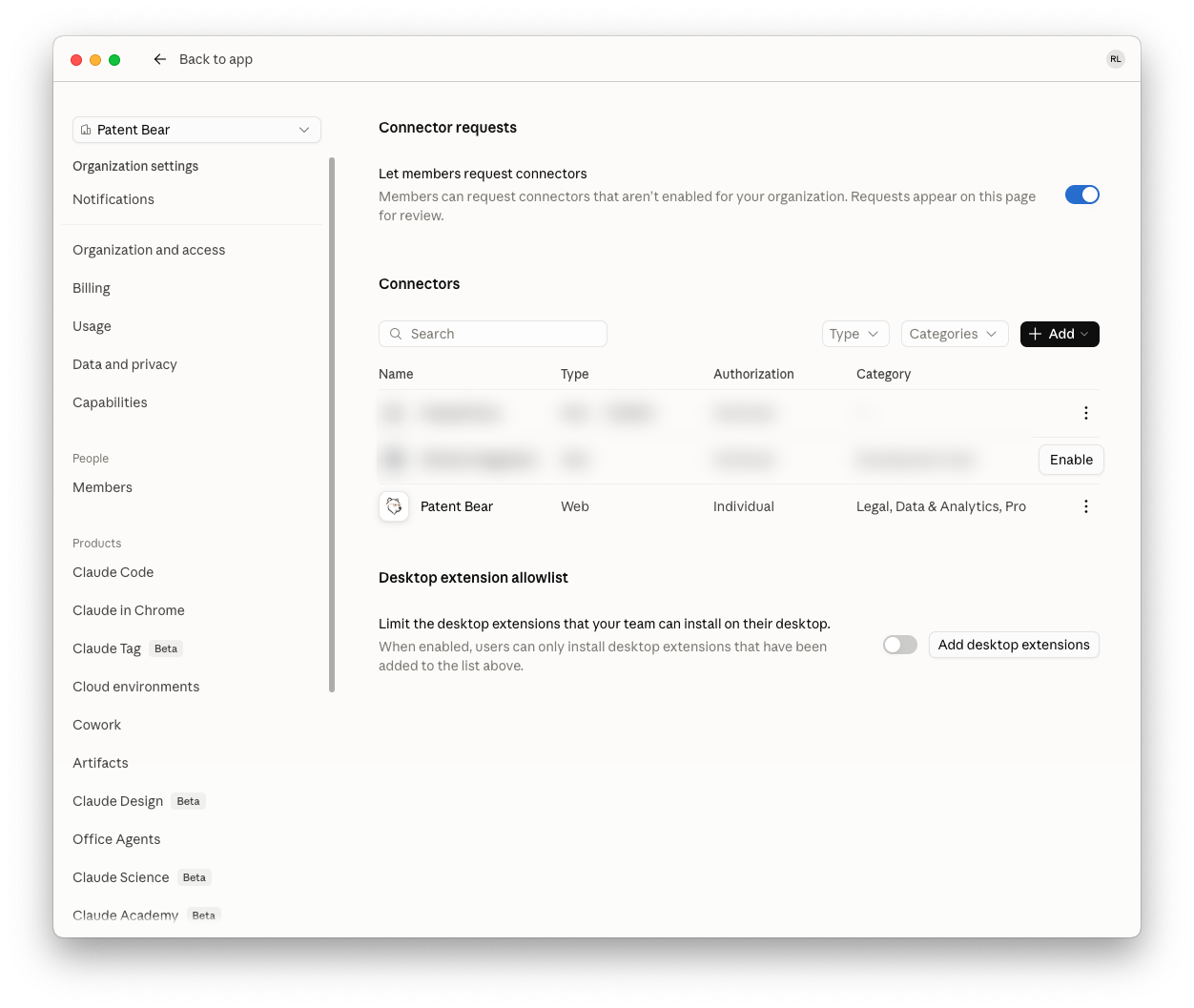
In claude.ai, open Settings, then Connectors. Click Add, then All available. On a Team plan this is the organization's Connectors page.
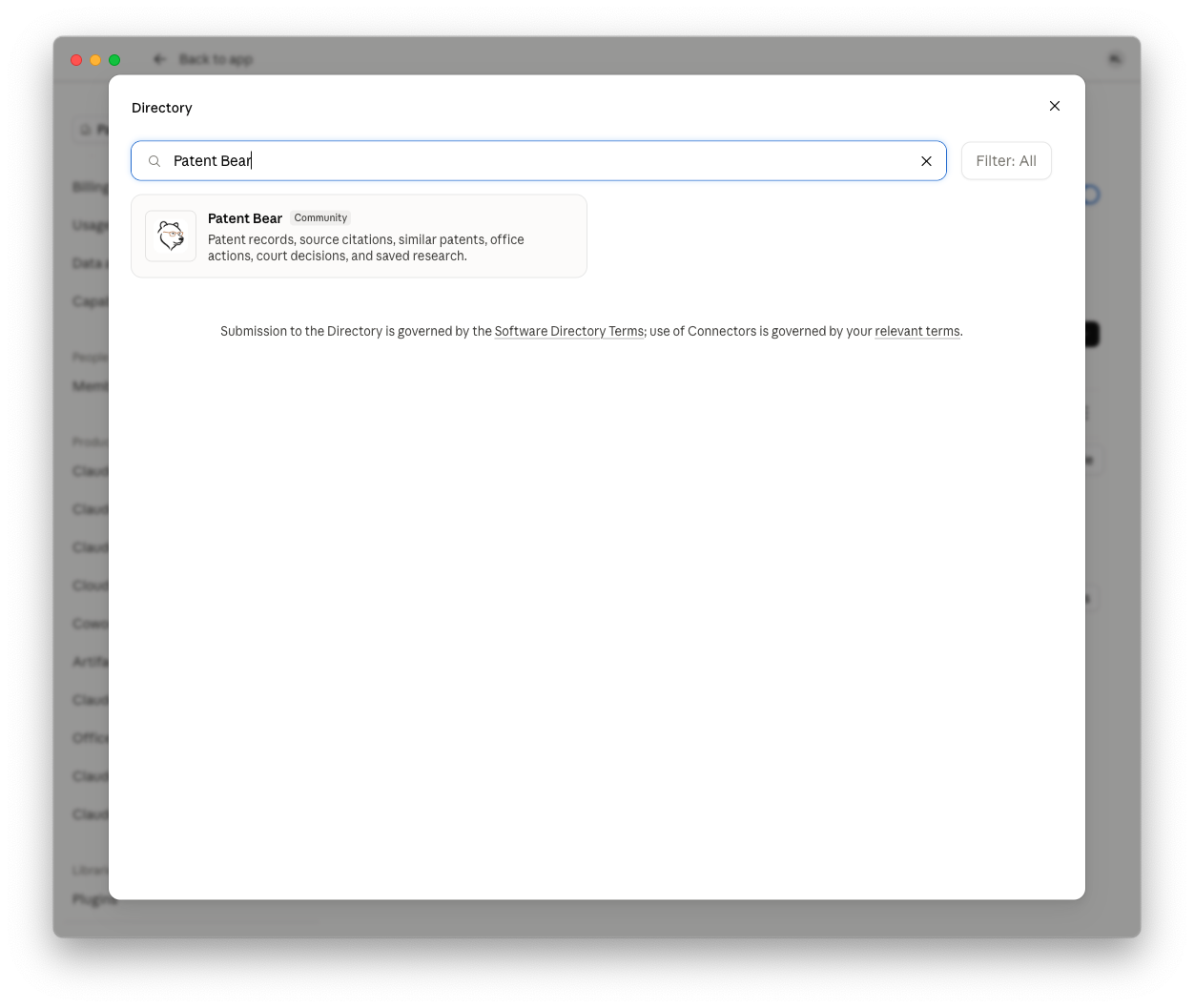
Find Patent Bear in the directory
Search the directory for Patent Bear and open the listing.
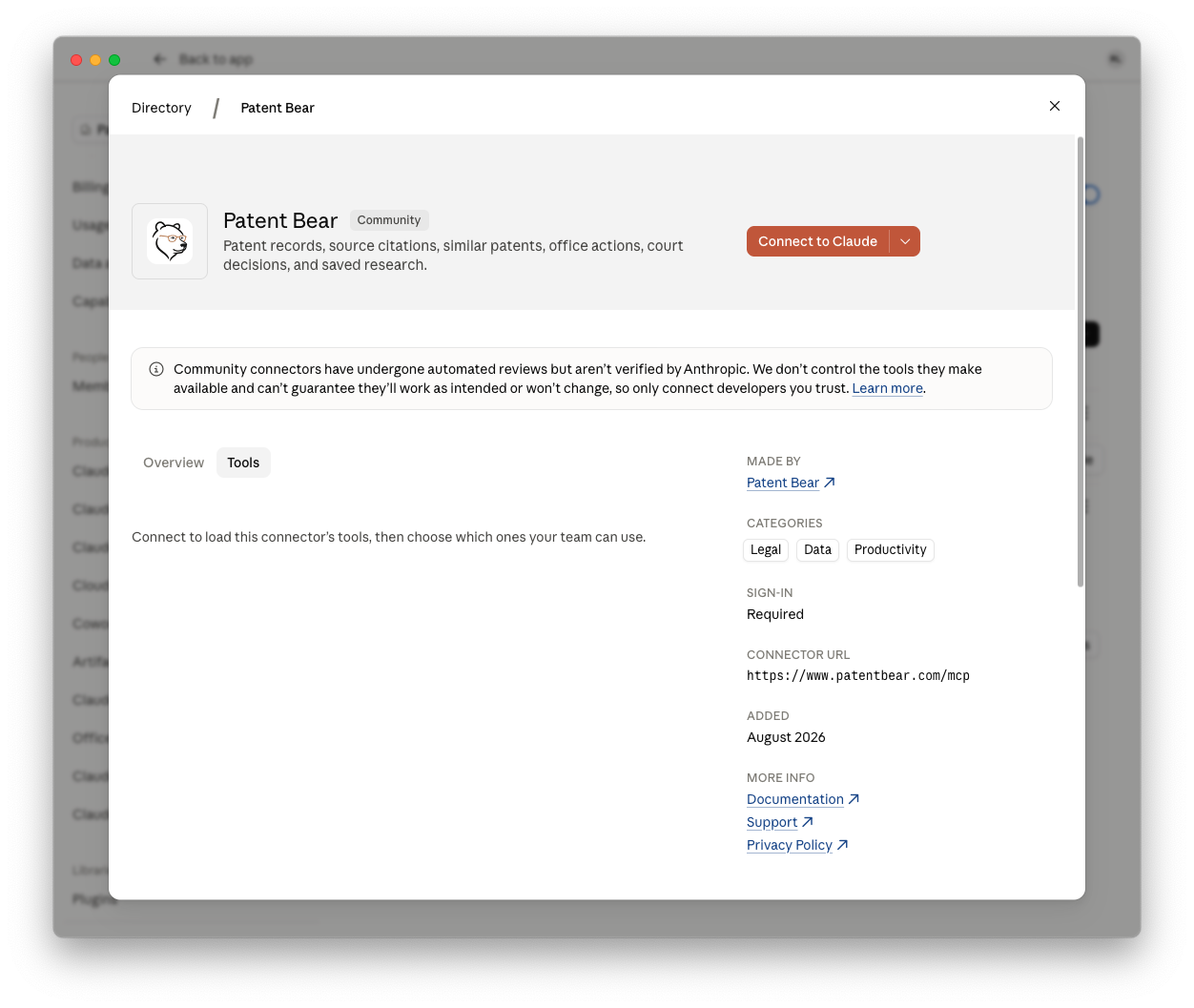
Connect it
Click Connect to Claude. Team admins can connect it for the whole organization at once. One connector covers claude.ai, the desktop app, and Cowork.
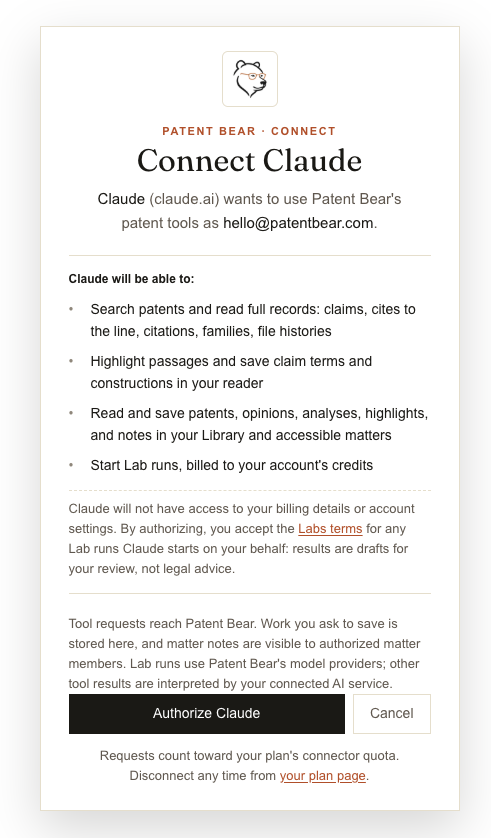
Sign in and authorize
Sign in to Patent Bear and click Authorize Claude. No account yet? Create one free on the same screen.
Ask from the chat
Start a new chat and ask. Try: “Quote every passage of US 7,844,915 supporting ‘rubberbanding’, cited col:line.” Or ask “What can Patent Bear do?” for the built-in guide.
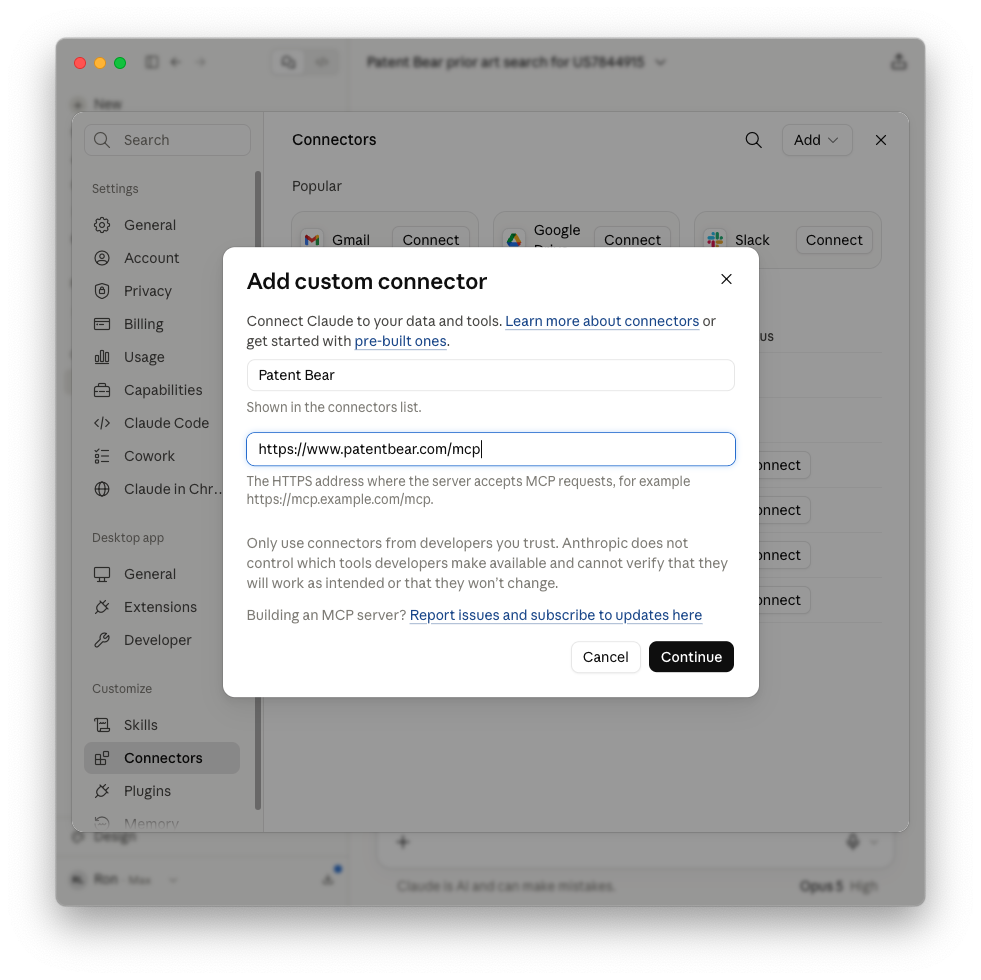
No directory on your plan?
Choose Add, then Custom, and paste the endpoint https://www.patentbear.com/mcp. Same sign-in, same tools.
Connect once, then work from the chat.
Two minutes in Claude, ChatGPT, or Gemini. The first 20 requests each month are free, and paid plans include up to 5,000.